
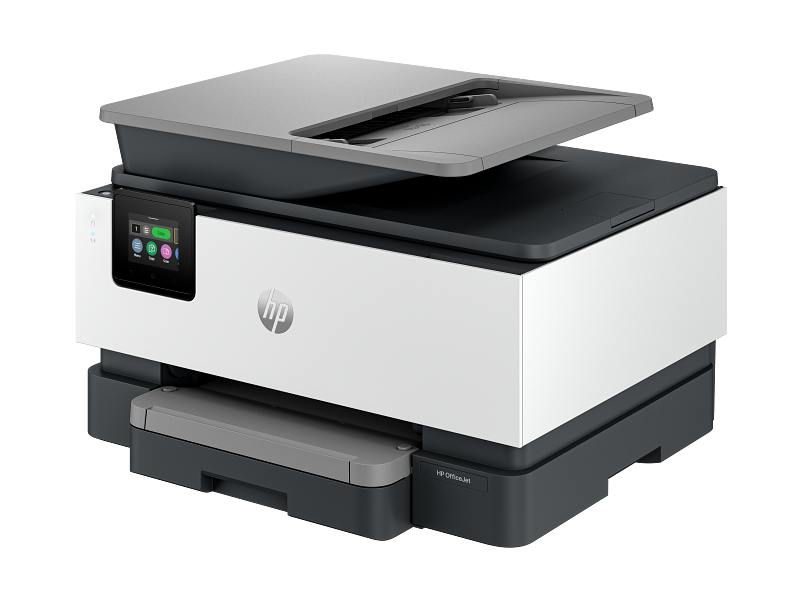
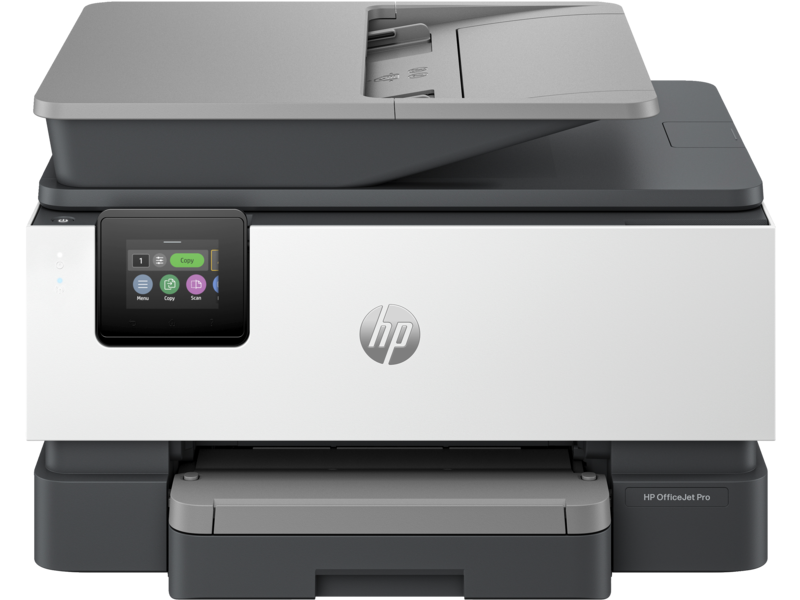
Looking for the HP OfficeJet Pro 9123 — one of the most capable all-in-one inkjet printers for home offices and small businesses? You’ve landed in the right place. This comprehensive guide covers everything from HP OfficeJet Pro 9123 specs to driver installation, so you can make a fully informed decision before you buy.
What Is the HP OfficeJet Pro 9123?
The HP OfficeJet Pro 9123 All-in-One Printer is a professional-grade inkjet device that combines printing, copying, scanning, and faxing into a single compact unit. Finished in a sleek cement color, it’s built for reliability and speed — delivering up to 22 ppm in black and 18 ppm in color under ISO conditions, making it one of the fastest printers in its class.
Whether you’re printing reports, scanning contracts, or faxing documents, the OfficeJet Pro 9123 handles it all without breaking a sweat.
HP OfficeJet Pro 9123 Specs at a Glance
Here’s a full breakdown of the HP OfficeJet Pro 9123 specs that matter most to buyers:
Print Performance The 9123 prints black pages at up to 22 ppm (ISO) and surges to 32 ppm in draft mode — ideal when you need volume fast. Color prints reach up to 18 ppm ISO, with best-quality output hitting an impressive 4800 x 1200 optimized dpi on HP Advanced Photo Paper. First page out is as fast as 10 seconds for black and 11 seconds for color, so you’re never waiting around.
Automatic Duplex Printing Double-sided printing is fully automatic, cutting paper use in half without any manual flipping — a must-have feature for any serious office workflow.
Paper Handling The standard setup includes a 250-sheet input tray, a 35-sheet ADF (Automatic Document Feeder), and a 60-sheet output tray. It supports a wide range of media sizes including A4, A5, A6, envelopes, and photo paper, with custom tray sizing from 76.2 x 127 mm up to 215.9 x 355.6 mm.
Scanning The HP OfficeJet Pro 9123 features a Contact Image Sensor (CIS) flatbed scanner with an optical resolution of up to 1200 x 1200 dpi. It supports duplex ADF scanning at up to 4 ipm and outputs files in JPG, BMP, TIFF, PDF, PNG, RTF, and TXT formats. Scan-to-email, scan-to-folder, scan-to-SharePoint, and scan-to-USB thumb drive are all supported out of the box.
Copy Functions Copy speeds reach up to 28 cpm in black and 21 cpm in color in draft mode. The copier supports up to 99 copies per run, reduce/enlarge from 25% to 400%, and advanced settings like ID copy, margin shift, collate, and two-sided copying.
Fax Yes — the 9123 includes color faxing at 4 seconds per page, with up to 100 pages of fax memory and broadcast capability to up to 20 locations.
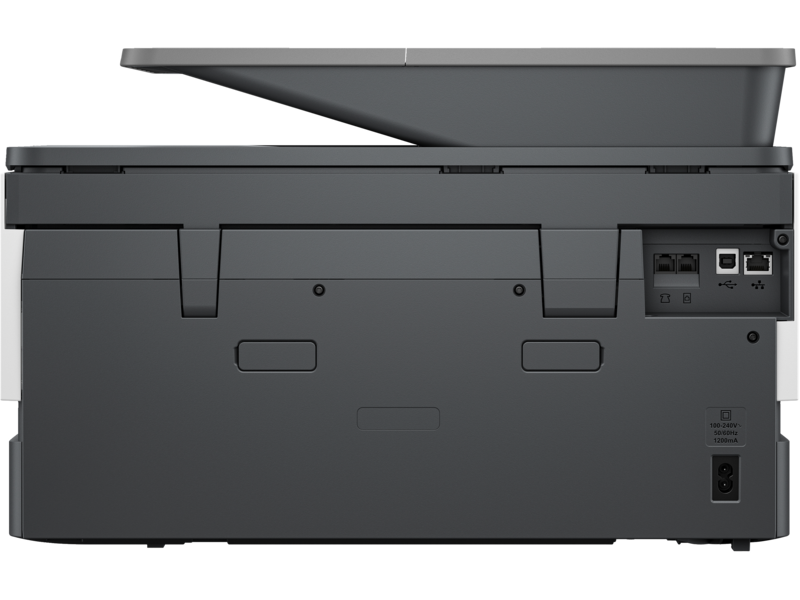
Connectivity This is where the HP OfficeJet Pro 9123 truly shines for modern offices. Connectivity options include Ethernet, Hi-Speed USB 2.0 (device and host), and dual-band Wi-Fi 802.11 a/b/g/n/ac with Bluetooth Low Energy (BLE). It supports Apple AirPrint, Wi-Fi Direct, Mopria, Chrome OS, and the HP app for mobile printing from virtually any device.
Display & Processor Navigation is handled through a 2.7-inch capacitive touchscreen, backed by a 1.2 GHz processor and 512 MB of memory for smooth, responsive performance.
Security Enterprise-level security features include SSL/TLS (HTTPS), WPA3, WPA2-Enterprise, IPP over TLS, signed firmware, and password-protected EWS — giving IT administrators full peace of mind.
Duty Cycle & Monthly Volume The 9123 is rated for a maximum duty cycle of up to 25,000 pages per month, with a recommended monthly page volume of up to 1,500 pages — perfectly sized for small to medium office use.
Dimensions & Weight Measuring 439.3 x 342.5 x 278 mm (minimum) and weighing approximately 9.29 kg, it’s compact enough for a desk without sacrificing paper capacity.
HP OfficeJet Pro 9123 Ink Cartridges
The printer uses the HP 938 ink cartridge series — a 4-cartridge system (black, cyan, magenta, yellow). Standard cartridge yields are:
- Black (HP 938): ~1,250 pages
- Cyan, Magenta, Yellow (HP 938): ~800 pages each
For higher-volume users, HP 938e EvoMore cartridges offer significantly extended yields — up to 2,500 pages for black and 1,650 pages for each color — reducing cost per page and cartridge change frequency.
HP OfficeJet Pro 9123 Driver – Download & Installation
Setting up your HP OfficeJet Pro 9123 driver is straightforward. The printer is compatible with a broad range of operating systems:
Windows: Windows 10 and Windows 11 (32-bit and 64-bit), plus Windows Server 2016, 2019, and 2022 (64-bit)
macOS: macOS 11 Big Sur, macOS 12 Monterey, macOS 13 Ventura, and macOS 14 Sonoma
Other: Linux, Chrome OS
To download the latest HP OfficeJet Pro 9123 driver, visit HP’s official support site at hp.com/support, enter your printer model, and select your operating system. HP’s setup software walks you through wireless or USB connection automatically. A minimum of 2 GB of available hard disk space and an internet connection are required for installation.
Note: Some users search for an “HP Smart Tank 9123” driver — this model is actually the HP OfficeJet Pro 9123, an inkjet printer. Make sure you’re downloading the correct driver for this specific model.
Warranty
The HP OfficeJet Pro 9123 comes with a standard one-year commercial hardware warranty, extendable to three years when registered within 60 days of purchase via hp.com/eu/3yearwarranty.
Is the HP OfficeJet Pro 9123 Worth It?
If you need a fast, feature-rich, network-ready all-in-one printer with strong security and flexible connectivity, the HP OfficeJet Pro 9123 delivers exceptional value. Its dual-band Wi-Fi, automatic duplex printing, wide OS compatibility, high-yield ink options, and professional print quality make it one of the best inkjet all-in-ones available for small office environments.
Bottom line: Whether you’re downloading the HP OfficeJet Pro 9123 driver for the first time or upgrading from an older model, this printer is a smart, future-ready investment for any productive workspace.
Only logged in customers who have purchased this product may leave a review.
Reviews
There are no reviews yet.